

Site Search
423 results for go online quick PROBLEMGO.com Looking to buy a dismissal for a federal crime HMP Channings Wood
-
Homewood Health COVID-19 Resources
As the COVID-19 situation continues to rapidly evolve, you may need information from a trusted source to support your clients, their organizations and their employees.
Through our partnership with Homewood Health, the Canadian leader in mental health and addiction services, all of our clients and their plan members have access to a number of tools and resources designed to provide guidance and support.
Online Cognitive Behavioural Therapy
For plan members dealing with increased anxiety during these uncertain times, Homewood’s Online Cognitive Behavioural Therapy tool, i-Volve, can help. Through self-paced, web-based therapy, i-Volve can help plan members identify, challenge and overcome anxious thoughts, behaviours and emotions.
All Equitable Life clients and their plan members have access to i-Volve. It’s available 24 hours a day, seven days a week, wherever you choose to access it.
Learn more about Online CBT or access i-Volve at Homeweb.ca/Equitable.
COVID-19 Support Resources
Drawing on their expertise in mental health, as well as guidance from trusted sources including Health Canada, the Public Health Agency of Canada and the World Health Organization, Homewood has created a number of resources to help support your clients and their plan members.
- Self-isolation and quarantine: What you need to know
- Quelling COVID-19 Anxiety
- Managing stress and anxiety
- How to speak to children
- How to stay productive and motivated when working from home
- The COVID-19 Pandemic: Managing the Impact
- Support for First Responders, Front Line Workers and Public Facing Employees
- Financial tips for your financial health
- Increases in Domestic Violence
- Those with family members in long-term care facilities
- Parenting during a pandemic
- COVID-19: Employee Fatigue, Isolation and Loneliness
- COVID-19 Back to School - Considerations and tips for parents and caregivers
- COVID-19: Back to School Support for Kids
- Gathering paperwork for a new application
- [pdf] B2B Investment Loan Product Brochure
- [pdf] Investment Direction - Legacy
- [pdf] Do you know Dakari and Ash
- About
-
EXCITING NEWS! Digital Transactions for Universal Life Plans Now Available
We are happy to announce a major update to our digital systems that makes managing Equitable Universal Life (UL) policies easier than ever. Starting now, you can use digital transactions to submit your clients’ instructions to change their UL deposit allocations and transfer funds between accounts.
This update builds on the recent launch of our digital policy loan request on EquiNet® and is another step towards making your Equitable® experience easier and more convenient.
What's New?
In the past, you had to submit written requests for UL deposit allocation changes and account value transfers using the Universal Life Form 693UL (you can still use this method if you prefer).
Now, you can manage these transactions directly through the secure EquiNet advisor portal. This new process also allows clients to securely approve their requested changes by email.
To get started, simply log into your account on EquiNet and go to the Policy Inquiry tab.
We have provided a brief user guide to help you through the steps.
We trust that this digital upgrade will enhance the way you work with Equitable. Stay tuned for more digital enhancements in the near future!
Thank you for your continued support and partnership.
Questions? For more information, please reach out to your wholesaler or our customer service team.
® or TM denotes a trademark of The Equitable Life Insurance Company of Canada.
-
Your year-end momentum starts today!
Just 79 days left to go in 2025!
As the air turns crisp and the leaves change color, we hope you’re enjoying our beautiful Canadian fall season. But before you get too swept up in the season's fun, remember that the final quarter is also a great time of year to boost your business.
Harvest season for success
Many clients are reviewing their financial goals and plans now. According to LIMRA, nearly 30% of life insurance applications are submitted between October and December1. This means you have a huge sales opportunity.
Why choose Equitable® ?
Clients expect competitive solutions that fit their unique needs well. Equitable offers great products, digital tools, and outstanding service and support. Learn more here.
Act now to finish 2025 on a strong note:
• Review your client list: Identify who needs a check-in before the year ends.
• Spot the opportunities: Year-end financial planning opens doors—don't miss out.
• Leverage our resources: From our e-apps to marketing materials and digital tools, we're here for you.
So, grab your client list (and your pumpkin spiced latte) and make the most of this final quarter. Your Equitable team is here to support you all the way to 2026 — let's finish 2025 strong!
1LIMRA, "Life Insurance Applications by Month," 2025. -
Wrapping up 2025 with our new term rates!
Among the most competitive in the market
Equitable® is wrapping up 2025 with our new term rates effective November 22, 2025. Many Canadians view life insurance as unaffordable, with 34% saying cost is the top reason they go without coverage.1 Our new term rates are designed to help address these concerns. They offer flexible and affordable options to help clients get the protection they need.
1 Investment Executive at Survey finds affordability, lack of trust, barriers to buying life insurance | Investment Executive
What’s New:
Updated premium rates for Term coverage, included on:• Term 10, Term 20 and Term 30/65 plans• Including Term Riders on Critical Illness (CI), Whole Life (WL), Equitable Generations® Universal Life (UL) and Equation Generation® IV Universal Life
View our Transition Rules for all the details on processing your applications.
New term rate highlights*:
*Effective November 22, 2025. Our term rates ranked among the best on LifeGuide when compared against top carriers in key markets.


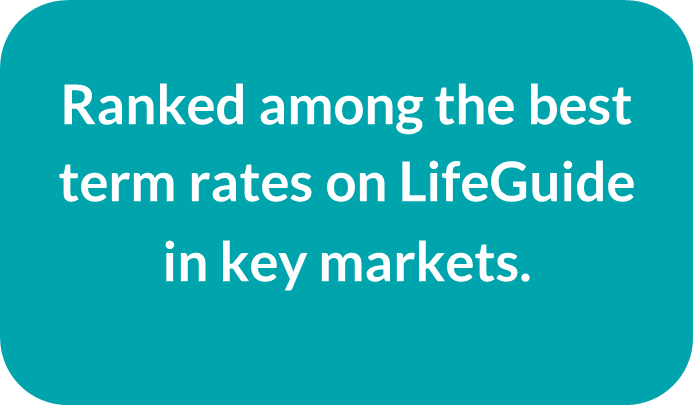
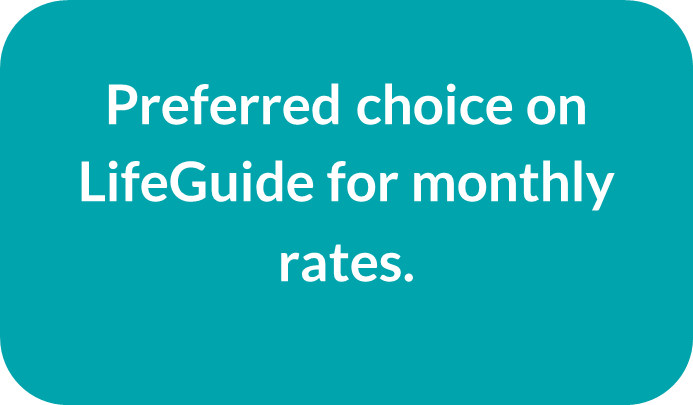
Check out our new term rates for yourself. Run quotes monthly (versus annually) for our best term rates.
Contact your Equitable wholesaler today to learn more!
-
Show term and critical illness illustrations with ratings
Rating options are now available in term and critical illness web illustrations. When you add a rating, the premium changes so clients can see the difference. This makes it easier to compare options and set expectations early.
What’s new
You can apply ratings to your term and critical illness web illustrations. When you choose a rating, the illustration and report update right away with the new premium.
Benefits
• Clear side‑by‑side comparisons
• Illustrated options better fit client’s needs
• Talk about options with more confidence
How to use the rating feature
1. In the web illustration, go to Personal Information.
2. Select the Ratings checkbox.
• This option also appears when adding a term rider or critical illness rider.
3. Choose the rating type you want to illustrate:
• Permanent amount (term)
• Permanent percentage (term and critical illness)
• Temporary amount (term)
Once applied, the premium updates automatically and appears in the illustration report.
Important to know
• Illustrated ratings are for comparison purposes only.
• When you submit an application, the system removes the illustrated rating.
• The final rating is determined through underwriting.
Improving your experience with more digital enhancements
We’re always working to improve the web illustration experience based on your valued feedback.
Here are some improvements you've asked for:
• A confirmation box appears showing the rider selected is included in the illustration report.
• When you’re signed into EquiNet your name and advisor code are included at the bottom of the illustration report.
New design updates to the illustration reports now make it easier for you and clients to review. Use these clear and refreshed illustrations to help clients get the protection that best meets their needs.
Questions
Contact your Equitable wholesaler. For specific case support be sure to include:
• the client name (if applicable);
• the product (term or CI);
• screenshot of the illustration settings.