

Site Search
582 results for go online now PROBLEMGO.COM pay judge to drop case
-
February 2026 eNews
In this issue:
Save time and add protection — log in to your Equitable account with a passkey*
New form offers a simpler way for clients to submit special claims*
2026 dental fee guide updates*
*Indicates content that will be shared with your clients.
Save time and add protection — log in to your Equitable account with a passkey
Passkeys offer an easier, faster way for you and your clients to log in to EquitableHealth.ca®. They also add an extra layer of account protection.
Easy set-up. Secure access.
If you haven’t created a passkey yet – now is a great time. You can create one on both your computer and mobile device.
When you set up a passkey on your mobile device, you’ll use biometrics –your face or fingerprint–to log in. This verifies your identity, so only you can access your account on your device.
Setting up a passkey on your computer is slightly different. You may have more options to verify your identity, such as biometrics, a personal identification number (PIN) or a password.
To learn more about passkeys, visit Equitable.ca/effortless.You hold the ‘key’ to further protecting your account
You’re the only one who can create passkeys. We can’t create them for you.
The set-up process is quick and easy. The videos below guide you through creating a passkey on your mobile device and computer.


If you use the same email address to log in to your accounts on EquitableHealth.ca, EquiNet® and Equitable Client Access®, you can use the same passkey. Equitable Client Access is our secure site for Individual Insurance and Individual Wealth clients.
New form offers a simpler way for clients to submit special claims
Equitable has simplified the special claim process for clients by introducing an interactive Special Claims Services form.
The new form, which replaces our previous online calculator, automatically calculates the fees and taxes based on province, so clients can clearly see the total of a special claim – and how much they need to pay.
What is a special claim?
A plan sponsor can submit a claim for Special Claims Services – sometimes referred to as Cost Plus – to pay for a plan member’s health and dental expenses that are either not included or not covered in full by their group benefits plan.
When submitting the claim, the plan sponsor also pays us for the cost of the expense, plus a service fee and taxes. Then, we reimburse the plan member or another designated payee.
Anything eligible under a health-care spending account (HCSA) is eligible under Special Claims Services. Our HCSA list of eligible expenses matches the Canada Revenue Agency’s list of eligible medical expenses that can be claimed on a tax return.
When a plan sponsor submits a special claim, there is no impact to the claims experience, pooling or taxes. Given that every situation is unique, however, the plan sponsor is responsible for consulting with an accountant on tax impacts and/or claim limitations that may apply.
For more information on Special Claims Services, check out this brochure or email SpecialClaimsServices@equitable.ca.
2026 dental fee guide updates
Several Canadian dental associations have published their 2026 fee guides. We use these guides to help set benefits reimbursement limits for dental procedures.
For your reference, here is the list of this year’s fee increases for general practitioners.
Source: Canadian Life and Health Insurance Association (CLHIA) 2026 Dental Fee Increase Guide
If you have any questions, please contact your Group Account Executive. -
Repositioned Wealth Accumulator available
Repositioned Equimax Wealth available now
As we continue to grow to meet the needs of various market segments, our product options for your high net worth (HNW) clients have also been improved. Equimax Wealth Accumulator® has been repositioned to meet the needs of your high net worth clients by providing more deposit room and competitive early cash values.
Equimax Wealth is now repositioned for your high net worth clients
Equimax Wealth Accumulator is now targeted for clients ages 45 to 65 with an insurance need but also looking for tax advantaged growth as an alternative to traditional investments. It allows your clients to achieve both while diversifying their portfolio and saving taxes, particularly for corporations.
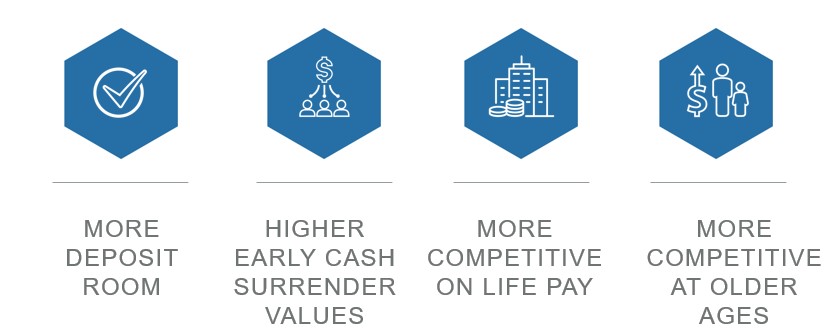
Highlights of the repositioned Equimax Wealth Accumulator:
- More deposit room - Allows for significantly more deposit room by reducing the initial death benefit. This means more money can be paid into the policy to promote the tax-advantaged investment growth.
- Higher early cash surrender values - We are more competitive on total cash value in years 1 to 10 in the target market ages of 45-65. The higher extra deposit room and early surrender cash value allows the illustration to show an earlier premium offset, which is key for the HNW market.
- More competitive on life pay - Improvements to life pay more notable than 20 pay. Reduced premiums for most male and female non-smokers in our target market (ages 45-65) as well as 2, 3, and 4 year improvement in illustration of premium offset.
- More competitive at older ages - A shift in the target market means you can support older clients in the HNW market. The Equimax Wealth Accumulator is now more competitive at ages 45-65.
Learn more
For full details on the transition, please see our transition rules.
For more information on this product, please visit the Equimax page on Equinet.
-
New Online Policy Loan Form
Advisors will now have access to a new digital policy loan form on EquiNet™.
On eligible policies, you can launch a customized policy loan form through the Values tab in Policy Inquiry. (login required)
This form is quick and intuitive. You tell us the loan amount, how your client wants to receive the funds, then confirm your client’s contact info and submit! Once your client signs, it is sent for review and processing within our current service standards.
This is the first form to be digitalized and we plan to continue this work with more forms later this year.
® and ™ denotes trademarks of The Equitable Life Insurance Company of Canada. - [pdf] Equitable GIF Fund Facts
-
Making it easy to do business with us
Online Term illustration now auto-populates the application
We have added a new online illustration for Equitable® Term life insurance illustrations that automatically populates the fields in your Term application.
We’ve designed the online illustration to be intuitive so you can fill in client details with ease.
● Select term plans and coverages of choice, then get an illustration report in minutes.
● You can save your web illustration progress at any time and view it from the online application dashboard.
● We’ve combined the illustration with our online application to make the process seamless. The illustration details you provide will auto-populate in the fields needed to complete the application.
New: You can create a term illustration without logging in to EquiNet.
We are taking another step in the journey towards enhancing the ways we do business.
Check out this update on the new Illustrations page on EquiNet®!
Learn more
Have further questions? Your Equitable Wholesaler is here to help!
® and TM denote trademarks of The Equitable Life Insurance Company of Canada.
- Health, wellness & online services
- [pdf] Pivotal Select Fund Facts
-
Equitable Life Group Benefits Bulletin – November 2021
In this issue:
- Deadline to opt out of New Brunswick biosimilar program*
- Web Reports Quick Reference Guide now available for plan administrators*
- Reminder: Review manual allocations for HCSAs and/or TSAs*
- Help your clients take advantage of our convenient digital options*
Reminder: Deadline to opt out of New Brunswick biosimilar program*
Earlier this year, we announced via eNews that on Feb. 1, 2022, we are ending coverage for some originator biologic drugs in New Brunswick in response to the province’s Biosimilar Initiative.* These changes will help protect your clients’ plans from additional drug costs while still providing access to equally safe and effective biosimilars.
Do my clients need to take any action?
No action is required if employers want to have the originator biologics excluded from their plan. Plan members taking these targeted originator biologics will be contacted directly to allow them ample time to transition to the biosimilar. Any cost savings associated with the change will be factored in at renewal.
All groups, except myFlex clients, who wish to opt out of this change and maintain coverage of these originator biologics for existing claimants in New Brunswick can submit a policy amendment. Amendments must be submitted no later than Nov. 30, 2021.
Advisors with myFlex Benefits clients who wish to maintain coverage of these originator biologics for New Brunswick plan members should speak to their myFlex Sales Manager to confirm their eligibility to opt out of this change.
Groups that opt out of this change are also opting out of any future changes to our New Brunswick biosimilar initiative. This means that their drug plans will continue to cover any additional originator biologics for which we subsequently end coverage as part of the biosimilar program.
Questions?
If you have a question that isn’t answered here, please contact your Equitable Life Group Account Executive or myFlex Sales Manager.
* The list of affected drugs or conditions is dynamic and may change.Web Reports Quick Reference Guide now available for plan administrators
A Web Reports Quick Reference Guide is now available for plan administrators on EquitableHealth.ca. This new guide offers a listing of our newest reports available on the plan administrator web. It also provides instructions for plan administrators outlining how to pull the report using the plan administrator portal.
The guide is available under the Quick Links section on both the advisor and plan administrator portals on EquitableHealth.ca.Reminder: Review manual allocations for HCSAs and/or TSAs*
If your client’s Health Care Spending Account (HCSA) and/or Taxable Spending Account (TSA) has manual allocations, they need to allocate these amounts to plan members each year. Please review all your plan members’ profiles on EquitableHealth.ca to ensure they have received their allocation(s) for the current benefit year.
If your clients have Plan Administrator update access on EquitableHealth.ca, they can update these amounts online by doing the following:- Select “View certificate”
- Select “Health Care Spending Account” or “Taxable Spending Account”
- Select “Update Allocation” in Task Center
- Enter amount in “Revised Allocation Amount”
- Override Reason – “Plan Administrator Request”
- Select “Save”
- Select “Reports”
- Select “New”
- Select “Next”
- Select “HCSA” or “TSA Totals by Plan Member”
- Select “Next”
- Enter end date of “12/31/2020”
- Select “Next”
- Select “Finish”
- View “Report”
Help your clients take advantage of our convenient digital options*
We have several digital options available to make it easier for your clients to do business with us and for their plan members to access and use their benefits plan. Over 71% of plan administrators are managing their plan online and 78% of plan members are already using our digital tools.
For plan administrators:- Online Plan Member Enrolment tool – allows all groups to add new plan members without the need for paper forms
- Plan Administrator Portal (EquitableHealth.ca) – plan administrators can easily manage their plan anytime and anywhere
- Digital Welcome Kits – personalized welcome kits are delivered to plan members via email
- Easy automated payments – plan administrators can avoid missed payments by setting up pre-authorized debit or electronic funds transfer
- Plan Member Portal (EquitableHealth.ca) – plan members get secure, 24/7 access to their claims history, coverage details and health and wellness resources
- Electronic Claim Payments and Notifications – plan members can get claim updates sooner in their email inbox and payments right into their bank account
- EZClaim Mobile App – submitting claims from a mobile device is fast, easy and secure
- Digital Benefits Cards – plan members no longer have to dig through their wallet – they can download their benefits card on their mobile device
We’ve created a brochure and a video guide to help plan members access and use their digital resources. For further assistance, plan members can visit www.equitable.ca/go/digital. They can also contact our Web Services team at 1.800.265.4556 ext. 283 or groupbenefitsadmin@equitable.ca. -
Product Enhancements - 10 Pay
Equitable Life has exciting product enhancements that will help you offer more options to clients.
Access our Virtual Product Launch NOW. Grab a coffee and get ready for this exciting news! Hear from our leaders and learn about our exciting product enhancements.
NEW! 10 pay premium option with Equimax Estate Builder®- The new EquiLiving® 20 pay rider options will be available on Equimax® plans
The updated illustration software will be available for download after 9 a.m. ET on Friday, February 11, 2022, and will include all the Equimax and EquiLiving enhancements.
See the Equitable Sales Illustrations Update for information on how to download the software or check for updates.
Please review updates to the commission schedule A for these new enhancements.
Learn more- Transition rules are available
- Watch our virtual launch event video now! (Approx. 20 minutes)
- Watch our product launch intro video here
- Visit our launch event page with product change details and more here
- Marketing Materials
Please contact your Regional Sales Manager for more information. -
Individual Insurance product enhancements
Equitable Life has exciting product enhancements that will help you offer more options to clients.
- Full Product Launch Video (approx. 20 minutes).
Watch our Virtual Product Launch NOW. Grab a coffee and get ready for this exciting news! Hear from our leaders and learn about our exciting product enhancements.
- Introduction video (View on Vimeo) / Product launch page
Highlights of the product changes effective February 12, 2022, include:NEW! 10 pay premium option with Equimax Estate Builder®
- The new EquiLiving® 20 pay rider options will be available on Equimax® plans
- 20 pay options with coverage to age 75 or coverage for life
NEW! EquiLiving plans and riders enhanced with:
- Support from Cloud DX to help monitor a client’s well-being from treatment to recovery.
- Added Acquired Brain Injury as a covered critical condition
- 30-day survival period removed for all non-cardiovascular covered conditions
- No age restriction to claim for Loss of Independent Existence (LOIE)
- EquiLiving Benefit now pays the higher of the EquiLiving Benefit or the Return of Premium Rider Benefit (not including Return of Premium on Death)
- And so much more …
New Illustration software available on February 11, 2022
The updated illustration software will be available for download after 9 a.m. ET on Friday, February 11, 2022, and will include all the Equimax and EquiLiving enhancements.
See the Equitable Sales Illustrations Update for information on how to download the software or check for updates.
Please review updates to the commission schedule A for these new enhancements.
Learn more- Transition rules are available
- Watch our virtual launch event video now! (Approx. 20 minutes),
- Watch our product launch intro video here. Watch on Vimeo
- Visit our launch event page with product change details and more
- Marketing Materials
Please contact your Regional Sales Manager for more information.